Drone light show design software, from the map to the flight files.
A complete tool to design, simulate, check and deliver drone light shows. Buy it ready to use, or whole: the engine with all its source code.
What is Drone Show Engine
Drone Show Engine is drone light show design software. It turns a brief —a venue, a fleet and some ideas— into a computed show: the trajectory of every drone, colours, a safety report, flight files and a report for the authorisation.
It works on the real model of the site: buildings with their height, terrain and aerial imagery. That is how it knows how high to fly, where the audience stands and which obstacles are there before anyone sets foot on the ground.
It includes a flight simulator with wind and gusts, a bone animator for figures, music synchronisation and export to Skybrush, per-drone CSV and VVIZ.
Who it is for
- Drone show operators who want their own tool instead of paying a licence per drone per year.
- Fireworks companies and event producers moving into drones who need to show the client the simulation over their own square.
- Fleet manufacturers and distributors who want to ship a designer with their drones, under their brand.
- Animation studios that design shows for third parties.
What it solves
- Quoting and showing a show before selling it.
- Checking that it fits the site and that it is safe.
- Delivering the flight files and the paperwork for the authorisation.
All the desk work of a show, in one tool
It runs in the browser. No Blender or 3D animation skills needed: it is built for the people who sell and produce the show.
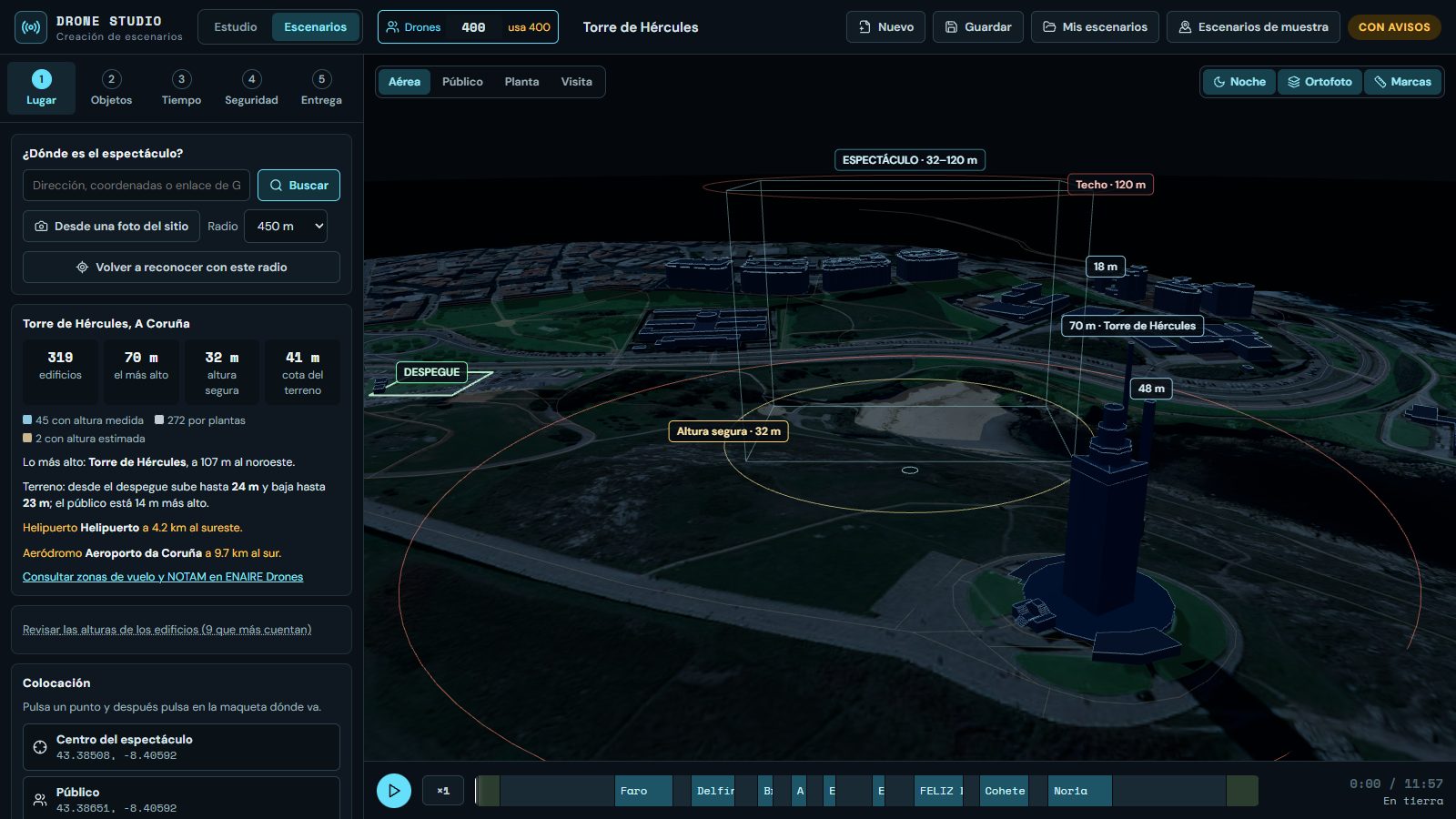
The real site model, from an address
Search for the place and the software builds it: buildings with their height, terrain and aerial imagery from open data.
- Safe height above the tallest obstacle
- Take-off area, audience and show centre placed on the model
- Warning of nearby aerodromes and heliports
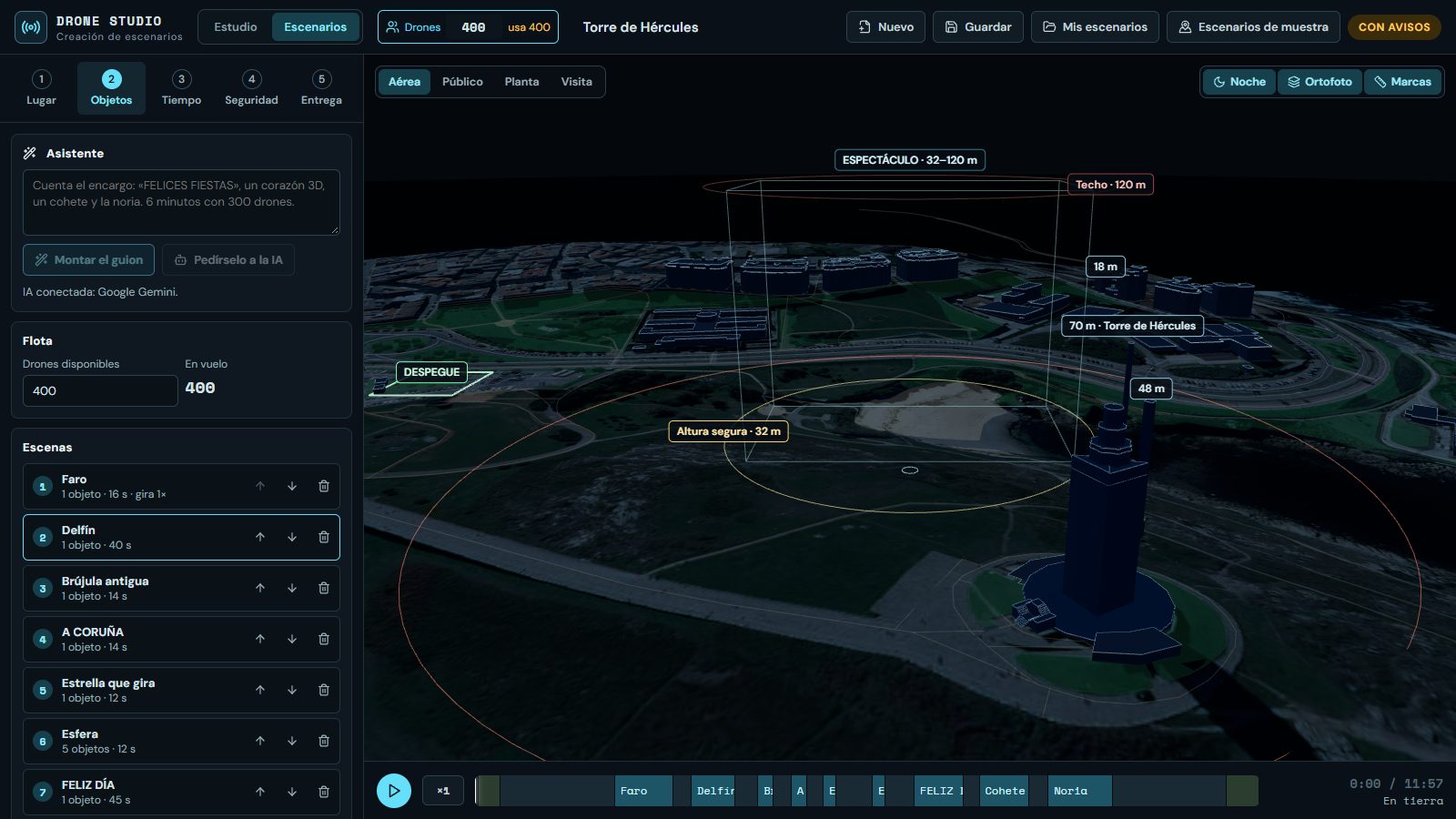
Built from objects, not drone by drone
Text, logos, images, a library of 3D shapes, your own models and photos turned into volume.
- Each drone is a pixel on a grid, with its colour: like a console character, it reads with few dots
- Every scene uses the whole fleet: figures grow as far as they fit and no drone is left waiting
- GLB, glTF, OBJ, PLY and STL models
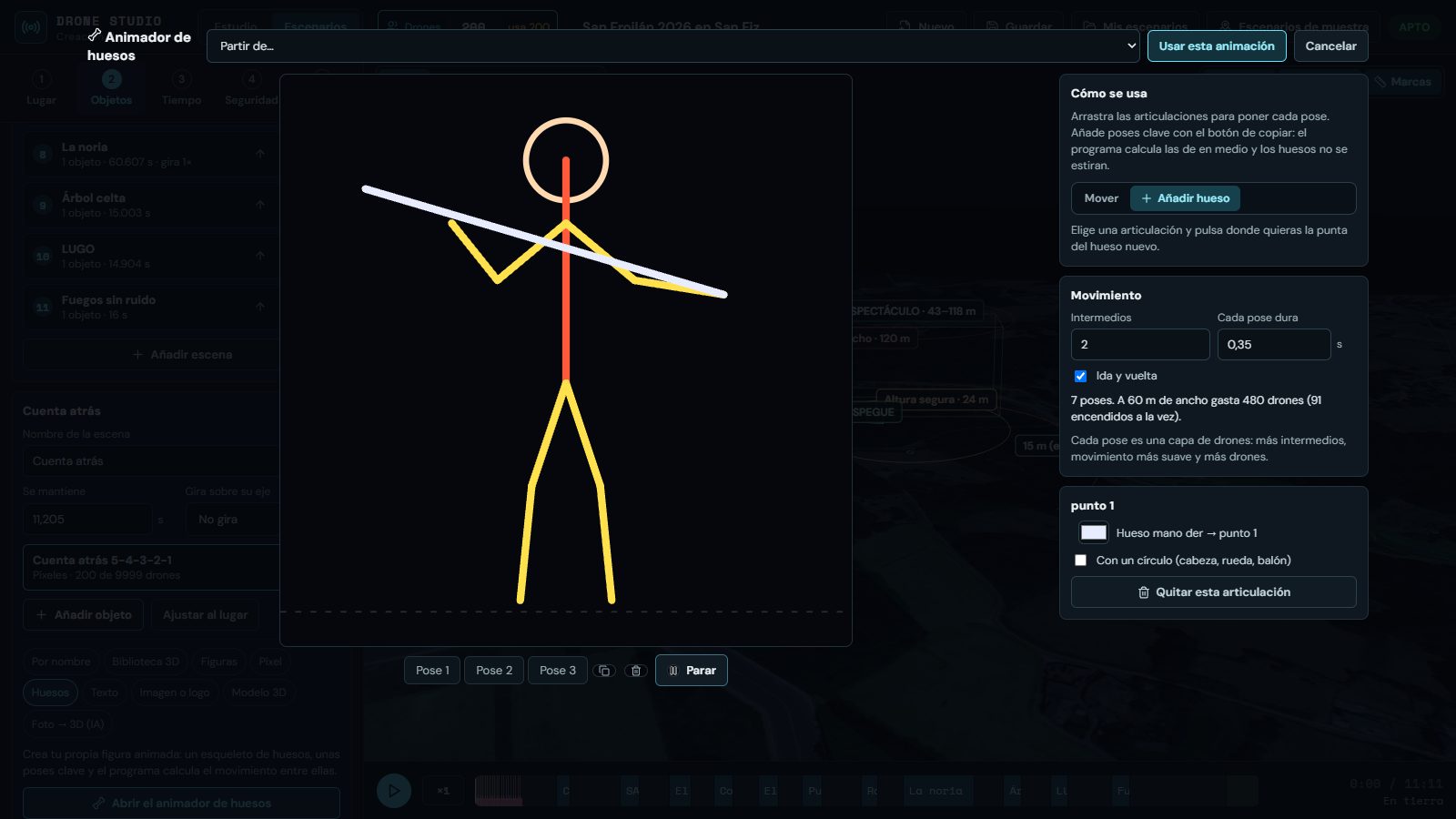
Figures that move
A bone animator: set the key poses and the software computes the ones in between.
- Person and quadruped templates to create your own
- Pixel animations for screens in the sky
- 3D objects that spin on their axis, with their halo
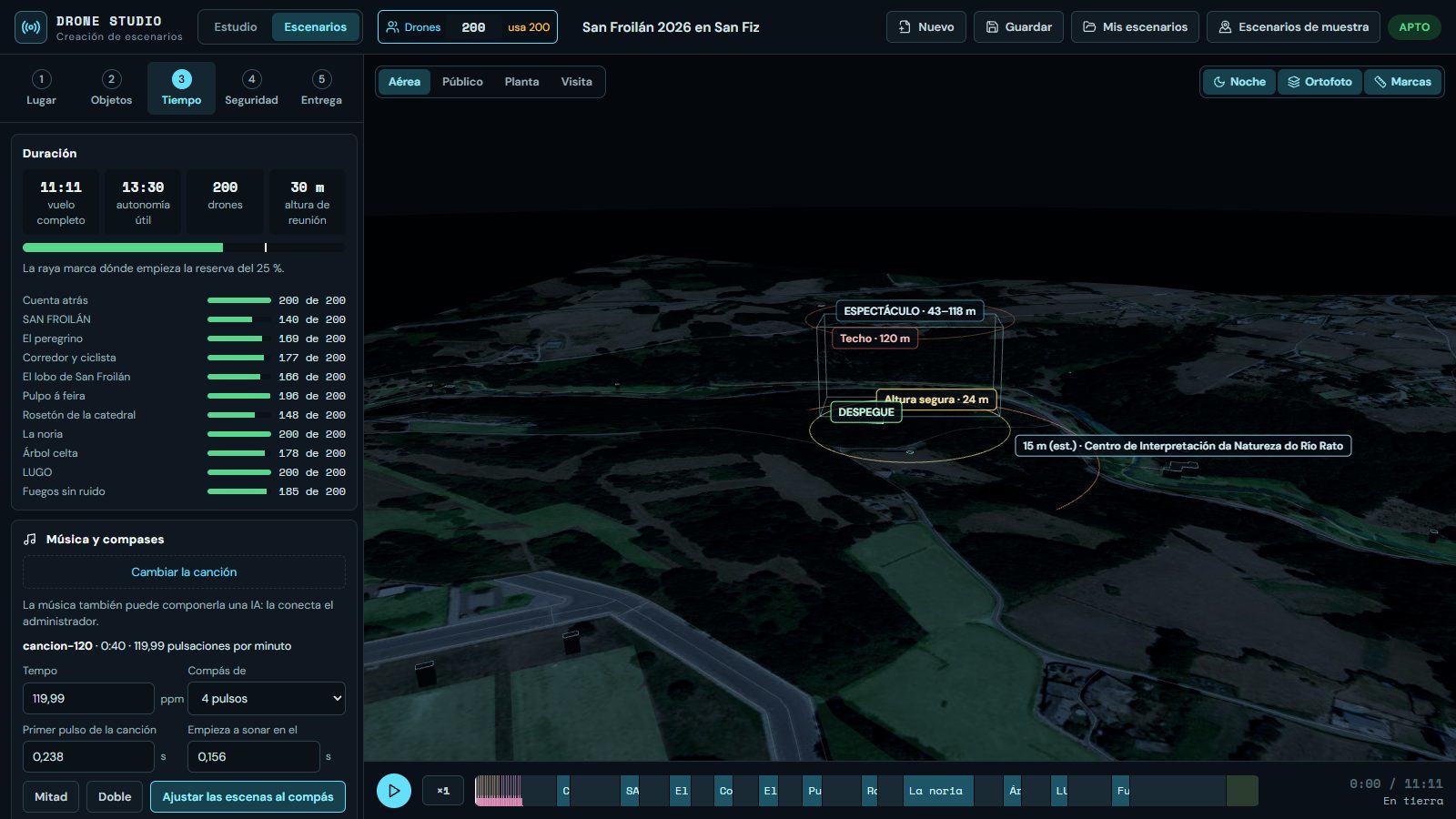
Scenes change on the beat
Load the song; the software measures its tempo and aligns scene changes to the bars, without shortening any scene.
- Or let an AI compose it: describe the mood and get a piece cut to the length of the show
- A score written by the text model and played by the software, or audio from Google Lyria or ElevenLabs
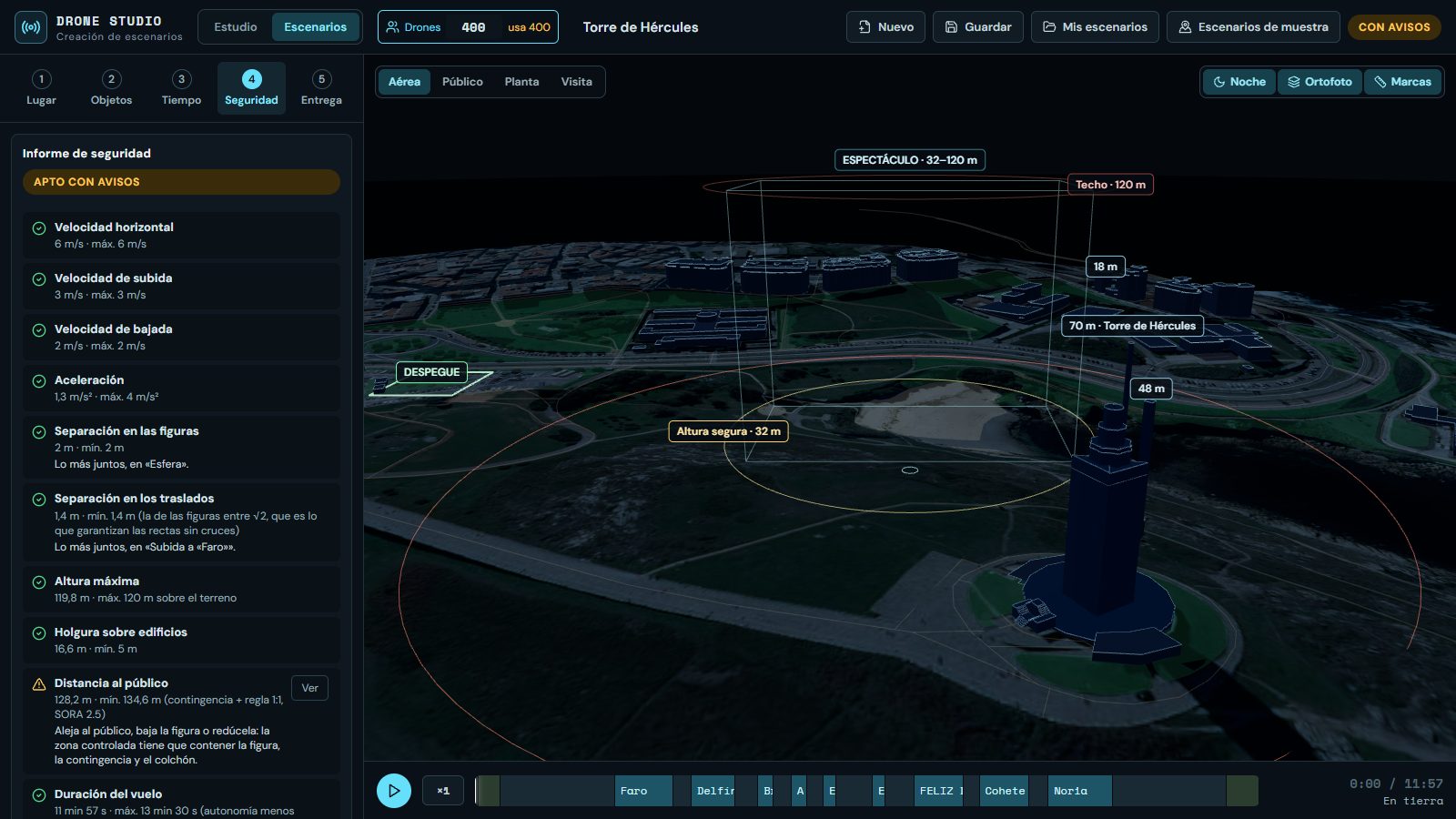
Checked, not assumed
Ten checks on the plan and a simulated flight that measures what each drone would do, not just what it is asked to do.
- Speed, acceleration, separation, ceiling, obstacles and endurance with reserve
- Wind that grows with height, gusts and positioning error
- Distance to the audience and terrain under every drone
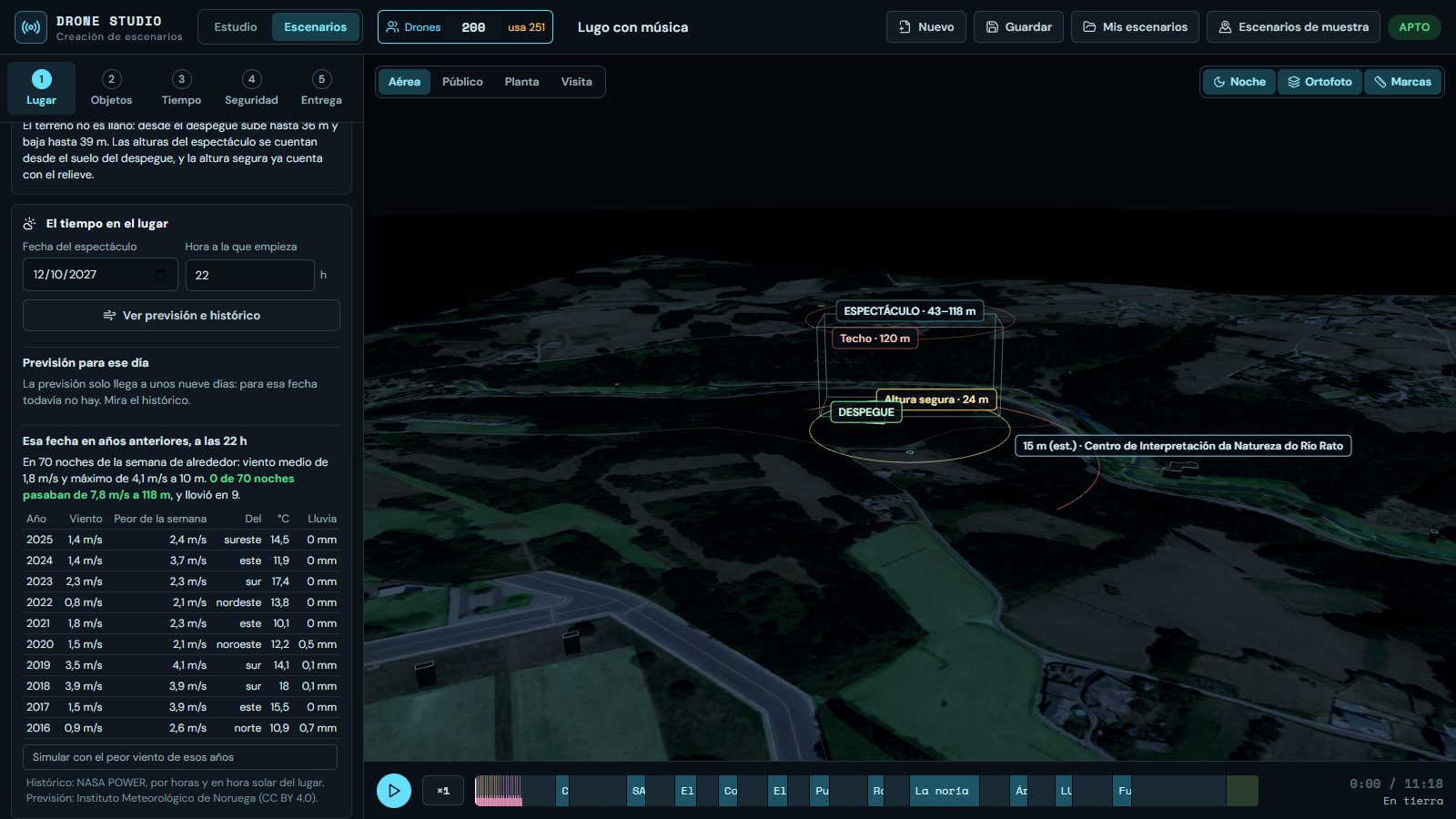
Forecast and history for the venue
Wind, gusts, rain and temperature at show time, and how those same days went in previous years. To choose the date with data.
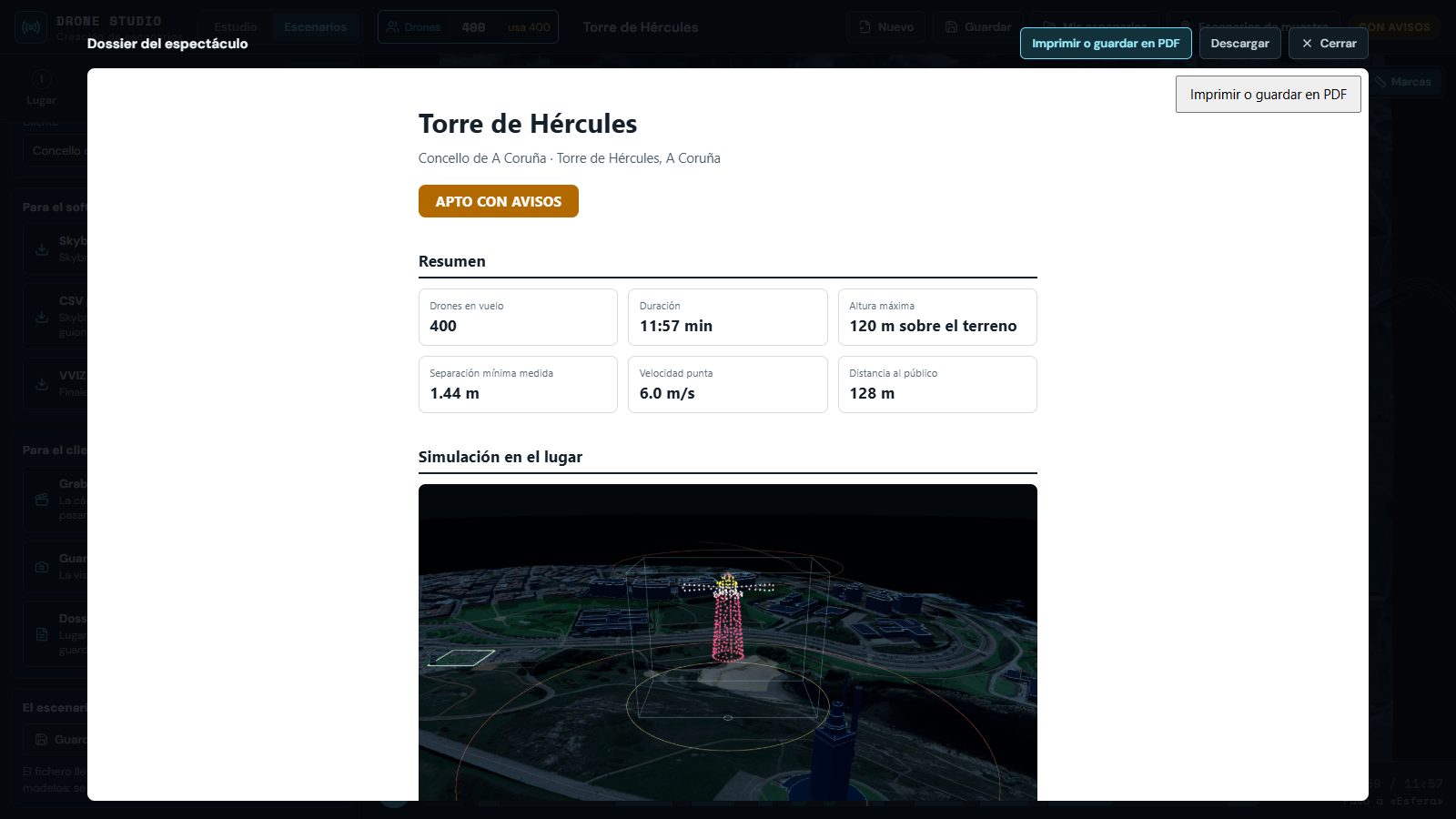
Flight files, report and video
- Skybrush (
.skyc), per-drone CSV and VVIZ - Report with the venue, scenes, limits and safety results, for the authorisation
- Video of the simulation to show the client
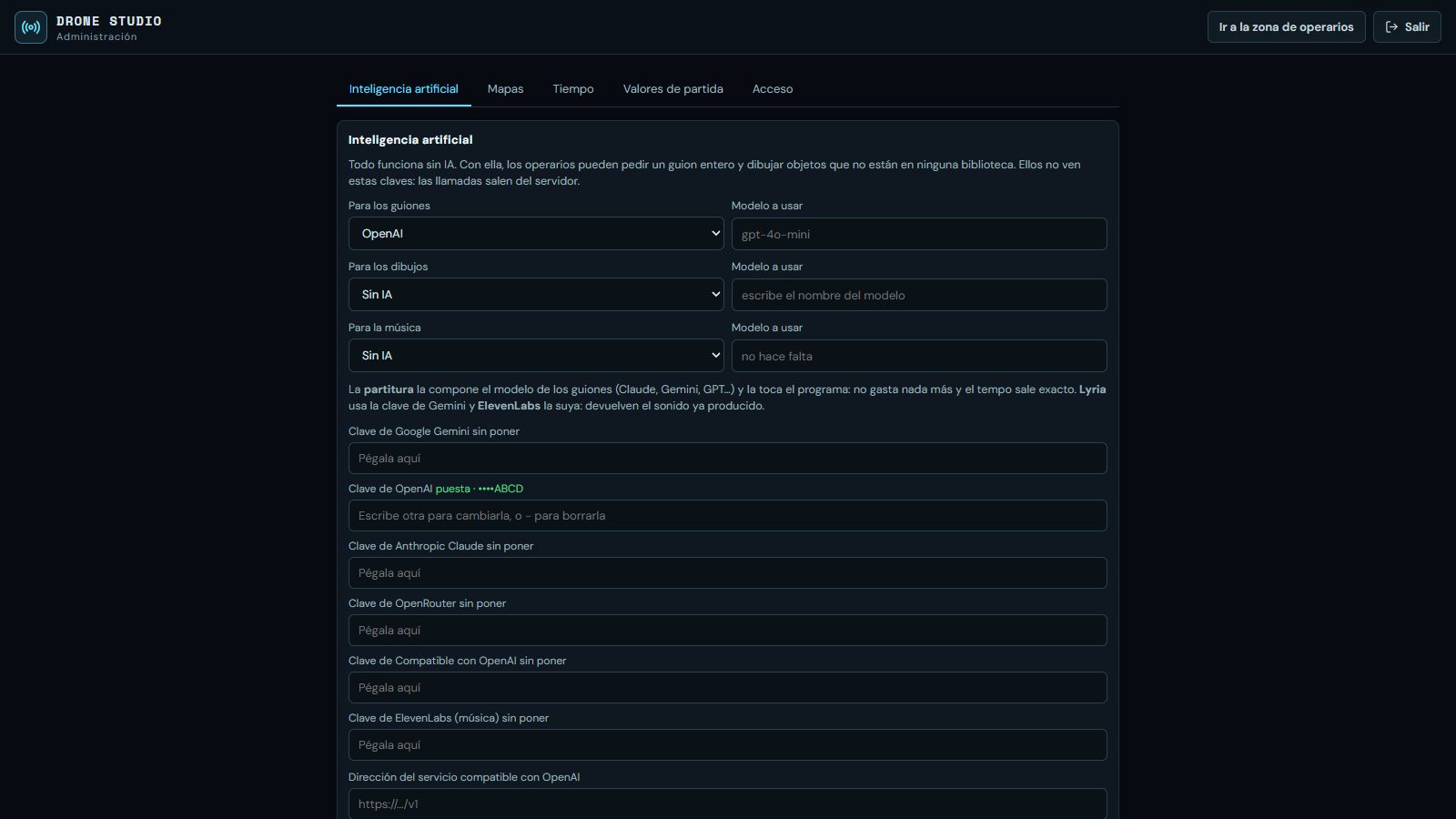
A panel for the manager, a workspace for operators
Keys and settings live in a password-protected panel; keys are stored encrypted and never reach the browser.
- Optional AI: Gemini, OpenAI, Anthropic, OpenRouter or your own model
- It drafts the script knowing the venue, draws new objects and composes the music
- Everything also works without AI
Nine shows on real venues, with music
Simulations made with the software, on the model of each site. The music of all nine was composed by an AI and is played by the software itself; in the last three, the figures were also drawn by an AI. The nine scenarios are delivered with the purchase.
What is inside
| Where it runs | In the browser (Chrome, Edge, Firefox), on your own server. Installed on a workstation or on a company server. |
|---|---|
| Fleet | 10 to 5,000 drones per show, set in advance. Every scene uses all of it: no drone is left waiting. |
| What a scene can hold | Text, logo or image, a library of 3D shapes, GLB, glTF, OBJ, PLY and STL models, point clouds, a photo turned into volume, animated figures, bone animation and pixel animations. |
| Export | Skybrush (.skyc), per-drone CSV in a ZIP and VVIZ. Report in HTML and PDF. MP4 video. |
| Safety | Ten plan checks: speed, acceleration, separation, ceiling, obstacles, terrain, endurance with reserve and distance to the audience. Simulated flight with wind, gusts and positioning error. |
| Venue data | Buildings and streets: OpenStreetMap (worldwide). Terrain and aerial imagery: Spain's National Geographic Institute. Google 3D map, optional and with your own key. |
| Weather | Forecast from MET Norway and history from NASA POWER: no key, no cost. |
| Artificial intelligence | Optional. Scripts and drawings: Gemini, OpenAI, Anthropic, OpenRouter and compatible services (Mistral, Groq, DeepSeek, xAI or a model installed locally). Music: a score composed by the text model and played by the software, Google Lyria or ElevenLabs. |
| Access | Password-protected administration and an operator area with an access code. Keys encrypted on disk; none reaches the browser. |
| Technology | TypeScript, React and three.js in the browser; Node server. No paid dependencies. |
| Language | The interface is in Spanish today. The engine is delivered ready to be translated. |
Two ways to own it
The software, to use in your shows; or the whole engine, to make it yours. Pricing depends on the option and scope: we quote once we know what you need.
The software
For operators, fireworks companies and event producers who want to design and quote shows without relying on an outside studio.
- The software installed and running, with your brand
- The nine sample scenarios and their videos
- Scenario manual and administration manual
- Set-up and training for your team
The complete engine
For companies in the industry and fleet manufacturers who want their own tool, to modify it and offer it under their name.
- All the source code: designer, computation engine, server and exporters
- The automated tests and the scripts that verify them
- Technical document and full audit
- The right to modify it and use it under your brand
- Hand-over session with your technical team
What has been measured, and what has not yet
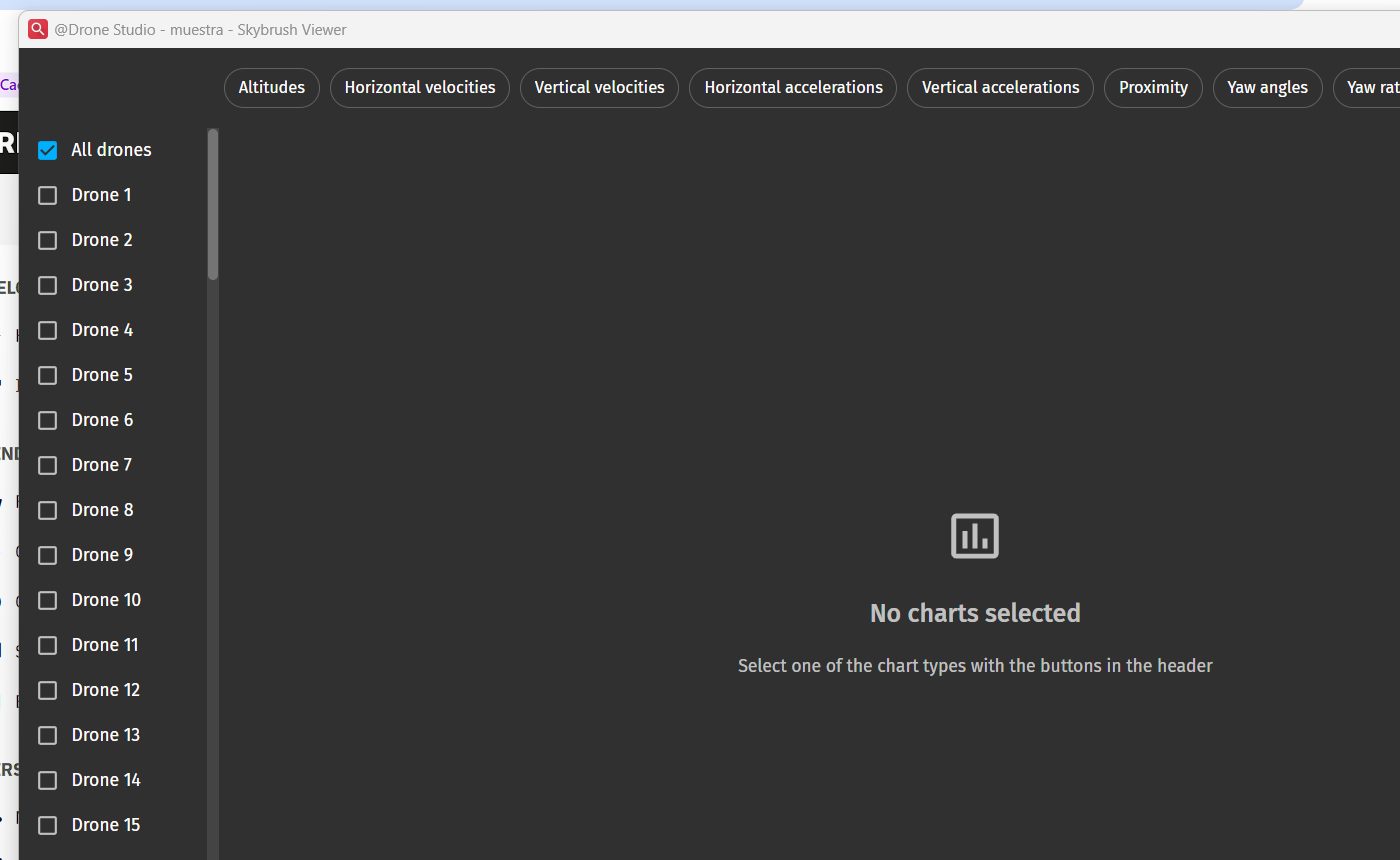
What is missing, stated plainly: no show has been flown yet with a file produced by this software. The export has been checked against the Skybrush tools and with simulated flight. The first real flight is done with the buyer and their fleet, and part of the payment can be made conditional on that flight.
What people usually ask
What is Drone Show Engine?
It is software to design, simulate and export drone light shows. It starts from the real venue on the map, builds the scenes with text, logos, 3D models and animated figures, checks safety and delivers the flight files and the report.
How much does it cost?
It depends on what you buy. The software is offered with a usage licence or hosted for a yearly fee; the complete engine, with a non-exclusive source licence or as an exclusive purchase. Pricing is given after a demo, according to the option and scope.
What is the difference between the software and the engine?
The software is the application, ready to use under your brand. The engine is all the source code —designer, trajectory computation, server and exporters— with the right to modify it and offer it under your name.
Do I need to know Blender or 3D animation?
No. It runs in the browser and scenes are built from objects. If you already work with Blender, you can import the result with Skybrush Studio.
Which file formats does it export?
Skybrush (.skyc), one CSV per drone inside a ZIP (time, position and colour) and VVIZ. It also produces the report in HTML and PDF and the simulation video in MP4.
How many drones does it support?
From 10 to 5,000 per show. The fleet is set at the start and the software shares the drones among the objects of each scene without exceeding that number.
Does it help with the flight authorisation?
It produces the report that goes with the request: venue, heights, limits, distances to the audience and safety results. It does not replace the procedure or the operator's own assessment before the aviation authority.
Can an AI write the music and draw the figures?
Yes, if one is connected. Music is requested by describing the mood: the text model composes it as a score and the software plays it, or Google Lyria or ElevenLabs generate the audio. Figures that are in no library are requested by name and the AI draws them ready to be turned into drones.
Which drones does it work with?
Those that read Skybrush files or a per-drone CSV with time, position and colour. Other formats can be added as part of the agreement.
Does it replace the ground control software?
No. It designs, checks and exports the show. The flight is run by each fleet's ground control software, which loads the files.
Does it work outside Spain?
Yes for buildings and design, which use worldwide data. Fine terrain and aerial imagery come today from Spain's National Geographic Institute; for other countries the equivalent service is plugged in.
Who owns the figures and the data?
The figures are original designs. Maps, terrain and weather are open data, credited in the report. The licence inventory is delivered with the engine.
What support is included?
With the software, set-up and training. With the engine, a hand-over session and a period for questions. Ongoing maintenance is contracted separately or included in the hosted fee.
Can I see it first?
Yes: a 30-minute demo by video call, with a scene built on the venue you tell us.
Ask for a demo on your venue
Give us an address and how many drones you fly. We will show you the show built there, with its safety report.
Or write to info@gmartos.es